

Guides
How to Use the Nexa Ultra II: Juicy Lock, Modes, Dark Mode and Charging
Jul
How to Use the Nexa Ultra II: Juicy Lock, Modes, Dark Mode and Charging
Want to use your Nexa Ultra II the right way from the first puff? This guide covers every step.
The Ultra II looks simple, yet it hides a few clever tricks.
For example, it ships with its e-liquid sealed away.
So the first few minutes matter more than with a basic disposable.
Get them right, and the device runs smoothly for weeks.
Below, we walk through unboxing, Juicy Lock activation, power modes, airflow, dark mode, charging and troubleshooting.
We are an independent shop, not the brand itself.
Still, we handle these devices every day and answer the same questions often.
Ultra II Specs to Know Before You Start
First, it helps to know what sits inside the slim body. These numbers explain most of the setup steps.
- Puffs: up to 50,000 in Normal mode, or about 30,000 in Turbo mode.
- E-liquid: 20 mL total, split into 4 mL of storage cotton plus a 16 mL crystal tank.
- Battery: 900 mAh, rechargeable through a USB-C port.
- Nicotine: 5% (50 mg/mL) salt nicotine in every flavor.
- Screen: a 3D curved display with light and dark modes.
- Technology: Juicy Lock sealing plus a see-through Crystal Tank.
Also, the brand calls this its most compact 50K device.
In practice, it slips into a jeans pocket without much fuss.
It also won Best Disposable Vape at the Vaping360 Awards 2025. You can read more on our awards page.
How the Ultra II Compares to Its Siblings
Before setup, here is how this model stacks up against two close relatives. The differences shape how each one behaves.
| Spec | Ultra II 50K | Ultra 50K | Pix 35K |
|---|---|---|---|
| Max puffs (Normal / Turbo) | 50,000 / 30,000 | 50,000 / 30,000 | 35,000 / 20,000 |
| Total e-liquid | 20 mL (4 mL cotton + 16 mL tank) | 20 mL (5 mL pod + 15 mL container) | 16 mL (5 mL cotton + 11 mL tank) |
| Battery | 900 mAh | 800 mAh | 800 mAh |
| Liquid system | Juicy Lock + Crystal Tank | Clarilock + Flavor Booster | Juicy Lock + Crystal Tank |
| Dark mode | Yes | Not listed | Not listed |
| Our price (single) | $18.99 | $13.49 | $14.49 |
In short, the Ultra II pairs the biggest puff count with the largest battery among the three.
For a deeper breakdown, see Ultra vs Ultra II.
Meanwhile, shoppers torn between sizes should check Ultra II vs Pix as well.
Step 1: Unbox and Prep the Ultra II
Start on a clean, flat surface. A desk or kitchen counter works well because small parts can roll away.
- First, slide the device out of its box and check the seal on the packaging.
- Next, peel off any protective stickers from the screen and body.
- Then remove the silicone plugs from the mouthpiece and the tank.
- Also look for a cardboard spacer between the two halves, and pull it out.
Keep the plugs for a day or two.
They come in handy if you need to toss the device in a bag before activation.
Before going further, check the packaging details. Our guide to verifying an authentic device explains what to look for.
You can also run the code through the official verification page. It takes under a minute.
Step 2: Activate Juicy Lock on the Ultra II
Out of the box, the e-liquid stays sealed inside the tank.
Juicy Lock keeps it away from the coil until you are ready.
That design keeps the flavor fresh on the shelf.
However, it also means the device will not hit until you activate it.
- Grip the tank section in one hand and the battery body in the other.
- Line the two halves up straight, without twisting.
- Squeeze them together firmly until you feel and hear a click.
- After the click, give them a gentle tug to confirm they stay joined.
Reviewers at Vaping360 note that once the halves connect, they do not come apart.
So treat this as a one-way step.
Signs That Activation Worked
- You heard a clear click rather than a soft press.
- The two halves sit flush, with no visible gap.
- After a short wait, e-liquid starts to wet the wick and the first puff tastes full.
If the halves feel loose, press again with more even pressure.
Uneven force is the usual reason a click never comes.
Why Juicy Lock Matters
Many big-puff disposables keep liquid against the coil from day one.
As a result, flavor can fade while a device sits in storage.
Instead, Juicy Lock holds the liquid back until activation.
Our explainer on Juicy Lock and Crystal Tank goes deeper into the design.
Step 3: Let the Wick Soak
This is the step most people skip. Yet it decides whether your first puff tastes sweet or scorched.
After activation, wait about a minute before your first draw.
That pause gives the wick time to soak up e-liquid.
A dry wick burns quickly. Once scorched, cotton can carry a harsh note for many puffs afterward.
- Set the device down upright during the wait.
- Avoid test puffs to see if it works yet.
- If the room is cold, give it an extra minute or two.
Then take a short, gentle first puff. Build up to longer draws over the next few minutes.
Step 4: Choose Normal or Turbo Mode
The Ultra II offers two power modes. Each one trades puff count against hit strength.
According to the Vaping360 review, a mode button sits under the screen.
Tap it to switch between NORM and TURBO.
When Normal Mode Suits the Ultra II
- You want the full rating of up to 50,000 puffs.
- Your habit is steady, short pulls through the day.
- A smoother, cooler draw appeals to you.
- Longer battery life between charges matters most.
When Turbo Mode Suits the Ultra II
- You want a warmer, denser hit with more flavor punch.
- Your sessions are fewer but bigger.
- A lower rating of about 30,000 puffs feels like a fair trade.
Overall, Normal suits most people as a daily default. Meanwhile, Turbo works well as an occasional boost.
Switching back and forth is fine.
Still, Turbo drains liquid and battery faster, so check the tank more often while in it.
What Changes in Practice
In Turbo, each puff draws more power from the 900 mAh cell. So expect to reach for the cable sooner.
Flavor also tends to feel bolder and warmer. Ice flavors can lose a little of their chill as a result.
In Normal, the draw stays cooler and more even. That makes it the better pick for menthol and mint lovers.
Step 5: Dial In the Airflow
Vaping360 also describes an airflow slider at the bottom of the Ultra II.
It changes how tight or open each draw feels.
- Slide it toward closed for a tight, cigarette-style mouth-to-lung pull.
- Slide it toward open for a looser, airier restricted lung hit.
- Pick a middle setting if you are unsure where to begin.
A tighter draw tends to feel warmer and more concentrated. In contrast, a looser draw feels cooler and lighter.
So pair the slider with the mode.
For example, Turbo plus open airflow feels very different from Normal plus tight airflow.
Try one change at a time. That way, you learn what each control actually does to your flavor.
Ultra II Dark Mode and the 3D Curved Screen
The curved display shows your battery level and active mode at a glance.
It also adds a glowing look to every puff.
However, not everyone wants lights flashing in a dark movie theater or bedroom. That is where dark mode helps.
The brand’s instruction is simple: press and hold for three seconds to enter dark mode.
Repeat the hold to bring the lights back.
In the Vaping360 review, the screen still showed battery percentage with the lights off.
So you keep the key info while losing the glow.
Tips for Dark Mode
- Count a full three seconds; a quick tap just changes the power mode.
- If the mode flips by accident, tap once more to switch it back.
- Check the screen after charging, since the display may light up again.
Want even less attention? The InvisaCloud pairs dark mode with low visible vapor.
Charging the Ultra II Battery
A 900 mAh cell powers this device. Even so, 50,000 puffs is far more than one charge can deliver.
Plan on recharging several times across the life of the tank. That is normal, not a fault.
- Plug any standard USB-C cable into the port on the device.
- Connect the other end to a wall adapter, laptop or power bank.
- Watch the screen for the battery percentage to climb.
- Unplug once it reaches full, or sooner if you need to head out.
Vaping360 reports a full charge takes a little over an hour.
Even a few minutes on the cable gave them a couple hundred hits.
They also found it fires almost instantly when plugged in, even from zero.
So a flat battery rarely means a long wait.
Need a spare lead? Our USB-C charging cable costs $4.99.
Our full charging guide covers every device in the range.
Charging Habits That Help
- Charge at room temperature, never on a bed or under a pillow.
- Skip cheap gas-station cables with loose plugs.
- Top up before the battery hits zero when you can.
- Keep the port clean and free of lint.
Reading the Crystal Tank
The 16 mL crystal tank is see-through. As a result, you can check your e-liquid at a glance.
That matters because the screen tracks battery, not liquid. So the tank tells you when the device nears its end.
- A full tank means you have plenty left, even if the battery reads low.
- A tank under a quarter full means it is time to order your next flavor.
- An empty tank plus muted flavor means the cotton is running dry.
Remember that 4 mL also sits in the storage cotton.
Therefore, you often get a final stretch of puffs after the tank looks empty.
When flavor turns thin or harsh, stop there. Pushing a dry wick only leads to burnt hits.
Curious how long a device lasts for typical habits? Read how long the Ultra II lasts.
Daily Habits for Using the Ultra II Well
Small habits stretch both puff count and flavor quality. None of them take much effort.
- Take steady two- to three-second draws instead of long, hard pulls.
- Pause between puffs so the wick can re-soak.
- Store the device upright when it sits in a bag.
- Keep it out of hot cars and direct sunlight.
- Avoid chain-vaping in Turbo mode, since heat builds up fast.
A silicone sleeve for $6.99 also protects the screen from scratches and drops.
Meanwhile, a vape lanyard for $3.99 keeps the device within reach on busy days.
Common Setup Mistakes to Avoid
We see the same handful of errors again and again. Each one is easy to dodge once you know it.
- Puffing before the click. Without activation, the coil has no liquid and will scorch.
- Skipping the soak. Even a full tank cannot help a wick that never got wet.
- Leaving a plug in. A forgotten silicone cap blocks airflow and kills the draw.
- Starting in Turbo. A fresh wick handles Normal power better for the first few puffs.
- Holding the button too long. A three-second hold toggles dark mode, not the power level.
Avoid these, and the first day with your new device should feel trouble-free.
Troubleshooting When You Can’t Use Your Nexa Ultra II
Most problems trace back to setup, airflow or battery. Work through these checks before assuming a defect.
No Vapor at All
- Check that the two halves clicked fully together.
- Look at the screen; a zero reading means it needs charging.
- Open the airflow slider a little in case it is fully shut.
- Remove any leftover silicone plug from the mouthpiece.
Burnt or Harsh Taste
- You may have puffed before the wick soaked. Let it rest for a few minutes.
- Drop from Turbo to Normal, since lower power runs cooler.
- Check the tank; an empty tank means the device has reached its end.
Gurgling or Leaking
- Store the device upright, especially overnight.
- Avoid heat, which thins e-liquid and pushes it toward the airflow.
- Take softer draws, because very hard pulls can flood the wick.
Screen Looks Dead
First, check whether dark mode is on.
A three-second hold toggles it, so the device may simply have its lights off.
If the screen stays blank, plug in a cable. Our blinking screen guide explains common display signals.
Still stuck? Our article on a vape that is not hitting covers more fixes.
Traveling With the Ultra II
The slim body makes this a good travel companion. Still, a few rules apply on the road.
- Pack it in your carry-on, since airlines generally bar vapes from checked bags.
- Never vape on a plane, even in dark mode.
- Check local vape laws before you land, because rules vary widely.
- Bring a USB-C cable, as most phone chargers will do the job.
Cabin pressure changes can also push e-liquid around. So keep the device upright in your bag during flights.
When Your Device Is Finished
Eventually, the tank runs dry and flavor fades. At that point, no amount of charging will bring it back.
Because the device holds a lithium battery, avoid tossing it in household trash.
Instead, check local rules for battery or e-waste drop-off points near you.
Then it is time for a fresh flavor.
Many regulars keep a spare on hand so they never run out mid-week.
Choosing Ultra II Flavors
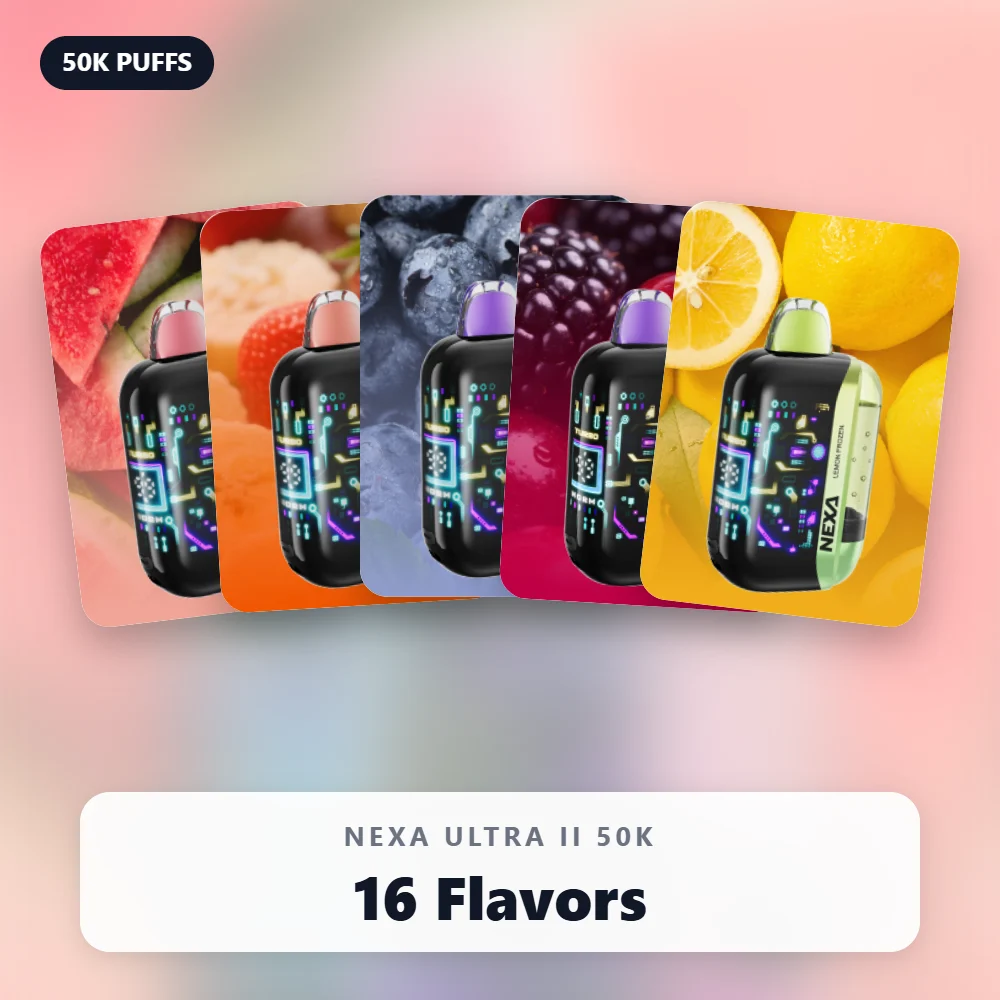
The Ultra II comes in 16 flavors across fruit, ice and candy families. Here are a few starting points.
- Ice fans: Watermelon Ice, Miami Mint and Lemon Frozen.
- Fruit fans: Strawberry Mango, Black Cherry and Strawberry Colada.
- Candy fans: White Gummy and Fcuking FAB.
Not sure where to begin? The Ultra II Ice Sampler bundles five icy flavors for $89.99.
Alternatively, the Ultra II 5-Pack costs $87.49 if you already know your favorite.
For more ideas, browse our best flavors roundup or the flavor guide.
Frequently Asked Questions
Can I use my Nexa Ultra II while it charges?
Yes. Reviewers found it fires almost instantly once plugged in.
Still, let it rest if the body feels warm.
How many puffs does the Ultra II give?
It gives up to 50,000 puffs in Normal mode.
However, Turbo mode trades that for a stronger hit and about 30,000 puffs.
Why does my new device taste burnt?
Usually, the wick did not soak before the first puff. Next time, wait about a minute after the click.
Also, try Normal mode and a slightly more open airflow setting.
How do I turn off the lights?
Press and hold for three seconds to enter dark mode. Then repeat the hold whenever you want the lights back.
Will the Ultra II leak in my pocket?
Juicy Lock keeps the e-liquid sealed until activation.
After that, storing it upright and away from heat helps prevent leaks.
Ready to Use Your Nexa Ultra II?
Now you know the full routine: click, wait, pick a mode, set airflow and charge as needed.
Shop every flavor in our Ultra II collection. Orders ship in plain, discreet packaging to adults 21+.
Also, compare it with other big-puff options in our 50K puff range.
WARNING: This product contains nicotine. Nicotine is an addictive chemical.
