

Troubleshooting
Nexa Vape Not Working? 9 Fixes for No Hit, Burnt Taste and Leaks
Aug
Nexa Vape Not Working? 9 Fixes for No Hit, Burnt Taste and Leaks
A Nexa vape not working usually has a simple cause, and you can fix most of them in minutes.
In our experience, nearly every complaint traces back to setup, power, airflow, e-liquid supply or puffing habits.
So before you toss a device or file a complaint, run through the nine fixes below in order.
Each fix names the models it applies to. That way, you skip steps that do not fit your device.
Quick Diagnosis: Match Your Symptom
Start here. Find your symptom, then jump to the fix that matches it.
| Symptom | Likely cause | Fix to try first |
|---|---|---|
| No vapor on a brand-new Ultra II or Pix | Juicy Lock not activated | Fix 1: press or snap the tank until it clicks |
| No airflow at all | Silicone plugs or stickers still in place | Fix 2: remove all protective plugs |
| Harsh or burnt first puffs | Wick not yet soaked | Fix 3: wait about a minute after activation |
| Dead screen, no response | Flat battery | Fix 4: charge with a USB-C cable |
| Tight, weak draw on a Pix | Airflow set too closed | Fix 5: slide the airflow switch open |
| Hot, burnt taste mid-session | Turbo mode plus long draws | Fix 6: switch to Normal mode |
| Weak hits after chain puffing | Wick cannot keep up | Fix 7: slow down and pause between puffs |
| Fading flavor, then burnt taste | Low e-liquid or a loose Flex pod | Fix 8: check the tank or reseat the pod |
| Wet mouthpiece or sticky body | Heat, storage angle or condensation | Fix 9: store upright and away from heat |
Why Is My Nexa Vape Not Working?
Modern Nexa devices pack a lot of technology into a small body. That helps flavor, but it adds setup steps.
For example, the Ultra II and Pix use Juicy Lock. It seals the e-liquid away until activation.
So until you click the parts together, a brand-new device simply has no e-liquid at the coil.
Also, the Pix and Ultra have no buttons. You inhale to vape, so a weak draw may not trigger them.
Then there are habits. Long, back-to-back draws in Turbo mode push any coil hard.
Finally, storage matters. Heat and odd angles cause most leaks across every device type.
Fix 1: Finish Juicy Lock Activation on Your Nexa
Applies to: Nexa Ultra II and Nexa Pix.
This is the most common reason a new device gives no vapor. Luckily, it takes seconds to fix.
Ultra II Activation
- First, peel off any protective stickers from the device.
- Next, remove the silicone plugs from the mouthpiece and tank.
- Then press the tank and body together until they click.
- After that, wait about a minute so the wick can soak up e-liquid.
Pix Activation
- First, remove any protective plugs from the device.
- Next, snap the tank into the body until it clicks.
- Then set the airflow and pick Normal or Turbo mode.
- Now inhale gently to start vaping.
Listen for the click. A half-seated tank is a classic cause of weak or missing vapor.
Our Pix Juicy Lock activation guide shows the process in more detail.
Fix 2: Remove Every Plug and Sticker From Your Nexa
Applies to: all new disposables.
Protective plugs keep the device clean in transit. However, they also block airflow completely.
- Check the mouthpiece for a silicone cap or plug.
- Also check the tank area on the Ultra II, which uses plugs there too.
- Look underneath and around the edges for clear film or stickers.
- Then make sure no film covers the airflow area on the Pix.
Once everything is off, try a gentle, steady draw. Many “dead” devices come back to life right here.
Fix 3: Give the Nexa Wick Time to Soak
Applies to: mostly the Ultra II, but the idea helps on every model.
After you activate Juicy Lock, e-liquid needs a moment to reach the wick.
So the brand advises waiting about a minute on the Ultra II before your first puff.
If you puff right away, the coil heats a dry wick. As a result, early hits can taste burnt.
Instead, set the device upright, wait, and then start with short, gentle draws.
Also, the same rule helps after a long break. Give it a few light puffs before a full draw.
Fix 4: Charge the Nexa Battery Properly
Applies to: every Nexa device.
A flat battery looks exactly like a dead device. So always rule this out early.
Battery Sizes by Model
- The Ultra II uses a 900 mAh battery.
- Meanwhile, the Pix, Ultra 50K and InvisaCloud each use an 800 mAh battery.
- The reusable Flex device runs on a 1200 mAh battery.
- Every one of them charges through a USB-C port.
Charging Checklist
- First, use a standard USB-C cable you know charges other devices.
- Next, plug into a wall adapter or computer port, not a weak hub.
- Then check the screen for the battery indicator.
- Leave it until the indicator shows a healthy level.
- Finally, unplug and try a gentle draw.
Lint in the port can block a good connection. So look inside with a light and remove debris carefully.
If you need a spare, we stock a USB-C charging cable for Nexa devices.
For more tips, read how to charge your Nexa the right way.
Fix 5: Open Up the Nexa Pix Airflow
Applies to: Nexa Pix.
The Pix has adjustable airflow. You slide the switch to set a tight or loose draw.
When the switch sits fully closed, some vapers find the draw too tight to trigger a good hit.
- First, slide the airflow switch toward the looser setting.
- Then take a slow, steady draw rather than a sharp sip.
- Next, tighten it a step at a time until it feels right.
Also, a looser draw tends to feel cooler. So it can help with harshness too.
Shop every flavor on our Nexa Pix category page.
Fix 6: Switch From Turbo to Normal Mode
Applies to: Ultra II, Pix, Ultra 50K, InvisaCloud and Flex.
Turbo mode trades puff count for a stronger hit. For example, the Ultra II drops from 50,000 to 30,000 puffs.
That stronger hit means more heat at the coil. So long Turbo sessions can scorch the flavor.
- Switch to Normal mode if hits start tasting hot or dry.
- Use Turbo for short sessions, then return to Normal.
- Also, give the device a short rest after heavy Turbo use.
Here is how the trade-off looks across the range:
- Ultra II, Ultra 50K and InvisaCloud: up to 50,000 Normal, about 30,000 Turbo.
- Pix: up to 35,000 Normal, about 20,000 Turbo.
- Flex Cool Pod: up to 30,000 Normal, about 18,000 Turbo.
- Flex Visible Pod: up to 40,000 Normal, about 25,000 Turbo.
Fix 7: Slow Down Your Puffs
Applies to: every Nexa device.
A wick needs a few seconds to pull fresh e-liquid back to the coil. Chain vaping cuts that short.
As a result, hits get weaker, then hotter, and finally burnt.
- Take a pause of several seconds between puffs.
- Keep each draw smooth and moderate in length.
- Also, avoid very long draws. Many disposables limit long puffs to prevent overheating.
- If a device stops mid-draw, release, wait, then try a shorter puff.
This habit protects the flavor. It also helps every device reach closer to its rated puff count.
A Simple Pacing Test
Try this when hits feel weak. First, take one moderate puff and count to ten.
Then take another. If the second hit tastes fuller, your pace was the problem.
Next time, build that pause into your routine. Your wick and your flavor will both thank you.
Also, notice when sessions run long. A short break every few minutes keeps the coil happier.
Fix 8: Check the E-Liquid and the Pod
Applies to: every model, with extra steps for the Flex.
Disposables With a Crystal Tank
The Ultra II, Pix and Ultra let you see your e-liquid level in a crystal tank.
So hold the device up to the light. A nearly empty tank explains fading flavor and burnt hits.
The Ultra II holds 20 mL in total: 4 mL in cotton plus a 16 mL crystal tank.
Meanwhile, the Pix holds 16 mL: 5 mL in cotton plus an 11 mL crystal tank.
When the e-liquid runs out, the device has reached the end of its life, even with battery left.
Nexa Flex Pods
- First, remove the pod and check its e-liquid level.
- Next, reinsert it until it sits firmly in the device.
- Then let the device detect the pod type and set itself up.
- Finally, pick your coolness level again if you use a Cool Pod.
A loose pod is a common cause of weak hits. So reseat it before you assume a fault.
When a pod runs dry, swap in a fresh one from our Nexa Flex Pods range.
Our Flex pod and coolness guide covers pod swaps step by step.
Fix 9: Stop and Prevent Nexa Leaking
Applies to: every Nexa device.
Juicy Lock keeps the e-liquid sealed until you activate the device. So a sealed, new device should arrive dry.
After activation, though, heat and storage habits decide whether leaks appear.
- Store the device upright, mouthpiece facing up.
- Keep it away from heat, such as a hot car or direct sun.
- Wipe the mouthpiece with a dry tissue if you see moisture.
- Also, avoid hard, sharp sips. They can pull liquid into the mouthpiece.
Some moisture at the mouthpiece is often condensation, not a true leak. A quick wipe usually solves it.
However, e-liquid pooling inside a sealed box before activation is different. Contact your seller in that case.
Why Your Nexa Has a Burnt Taste
A burnt taste deserves its own section, because it ruins the flavor fast. Here are the usual causes, in order.
- Puffing before the wick soaks after activation.
- Chain vaping with no pause between draws.
- Long sessions in Turbo mode.
- Running the e-liquid nearly dry.
- A loose Flex pod that cannot feed the coil properly.
Fix the cause, then give the device a rest. Light, slow puffs often bring the flavor back.
However, a truly burned coil will not recover. When the taste stays burnt for many puffs, retire the device.
Sweet flavors can feel harsher when a wick runs low. So check the tank early with dessert blends.
Nexa Troubleshooting by Device
Each model has its own quirks. Use this list to focus on the fixes that fit.
Nexa Ultra II 50K
- Check the Juicy Lock click and the one-minute soak.
- Remember the plugs on both the mouthpiece and the tank.
- Also, a three-second press and hold turns on dark mode, so a dim screen may be intentional.
See the full range on our Nexa Ultra II page, or read how to use the Ultra II.
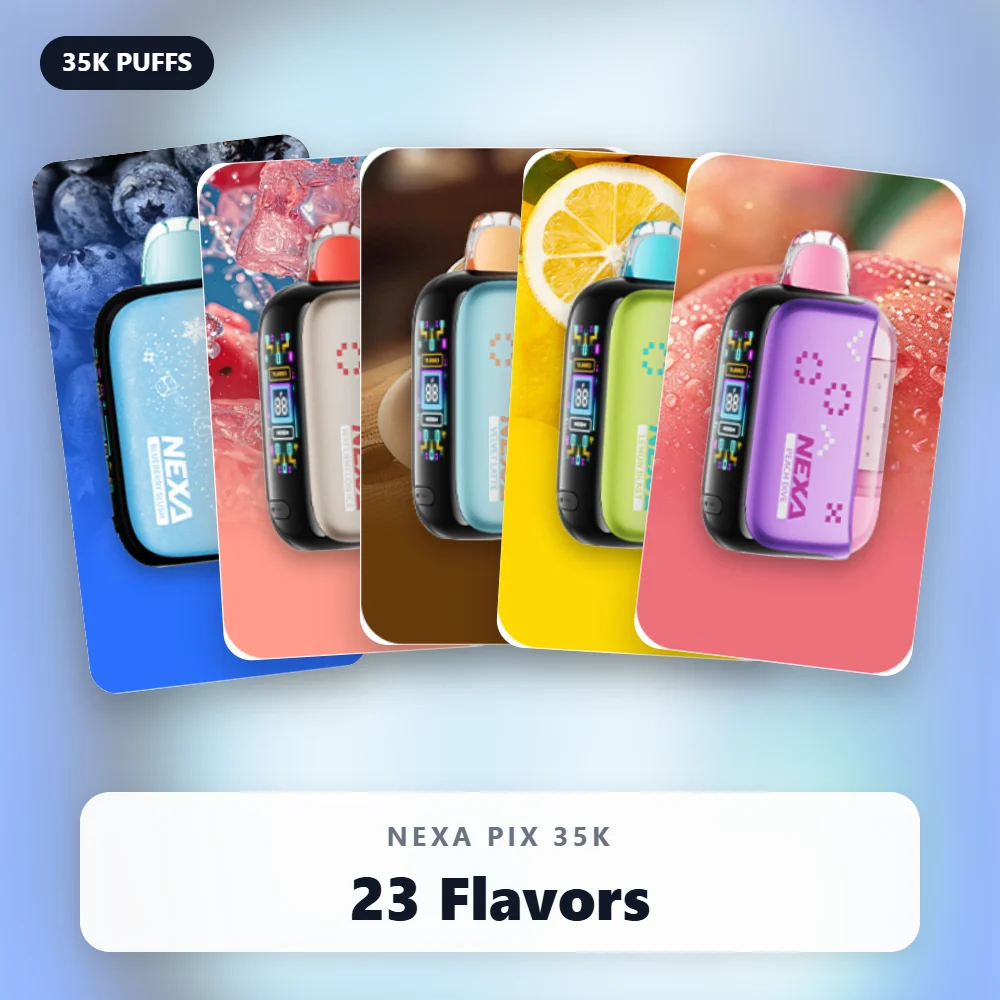
Nexa Pix 35K
- Snap the tank in until it clicks.
- Open the airflow switch if the draw feels too tight.
- Then check the HD screen for battery and mode.
Nexa Ultra 50K and InvisaCloud
- Follow the manual to attach the 15 mL e-liquid container correctly.
- Inhale to vape, since there are no buttons to press.
- On the InvisaCloud, a slow, deep inhale leaves almost no cloud. So low vapor there is by design.
Learn more in our InvisaCloud explainer.
Nexa Flex Kit
- Seat the pod firmly and let the device detect it.
- Recharge the 1200 mAh battery through USB-C.
- Also, pods need no charging, so a flat device is the usual suspect.
When to Replace or Return a Device
Sometimes no fix helps. Here is how to tell what comes next.
- An empty tank or pod means the device has simply finished its life.
- A burnt taste that never fades means the coil is spent.
- A brand-new device that stays dead after charging and activation may be faulty.
- Leaks inside a sealed box point to a problem before you ever used it.
In the last two cases, contact your seller with photos and your order number.
Also, check that the device is genuine. Copies often fail early, so read our counterfeit spotting guide.
If your screen or lights flash in an odd pattern, see our screen and lights guide next.
Habits That Prevent Most Problems
Prevention beats troubleshooting. These habits keep devices running smoothly from first puff to last.
- Activate properly and wait before your first puff.
- Charge before the battery runs completely flat.
- Use Normal mode as your default, and Turbo as a treat.
- Pause between puffs, especially in long sessions.
- Store devices upright and away from heat.
- Keep a spare cable in your bag or car.
Accessories help too. A silicone sleeve for Nexa adds grip and protects the body from drops.
Mistakes That Make Problems Worse
Some quick “fixes” do more harm than good. Avoid these, even when you feel frustrated.
- Do not pry open a disposable. You can damage the battery and void any return.
- Also, do not blow hard into the mouthpiece to clear it.
- Avoid frayed or damaged cables, even if they still charge slowly.
- Never charge on a bed, a couch or another soft, warm surface.
- Instead of shaking a device hard, tap it gently upright on a table.
- Finally, do not keep puffing harder when nothing happens. Find the cause first.
What to Tell Your Seller
When a device needs a return, a clear message gets a faster answer. So include these details.
- Your order number and the date your order arrived.
- The model and flavor, plus the code result if you checked it.
- Next, a short list of the fixes you already tried.
- Then photos of the device, the screen and the packaging.
- Also, a note on whether you activated and charged it.
This saves a round of back-and-forth questions. As a result, you get a resolution sooner.
Keep the box until the case closes, because it often holds the batch and code details.
Frequently Asked Questions
Why is my new Nexa not hitting at all?
Usually, the device still needs activation or has a plug in place.
So remove every plug, click the tank into place, wait, and try again.
Can I fix a Nexa burnt taste?
Often, yes. Rest the device, switch to Normal mode and take slower puffs.
However, if the burnt taste stays for many puffs, the coil has reached the end of its life.
Why does my Nexa leak after activation?
Heat and storage angle cause most leaks.
So keep the device upright, away from heat, and wipe the mouthpiece when needed.
Do Flex pods need charging?
No. Pods take their power from the Flex device, which charges through USB-C.
What if my Nexa vape is still not working after every fix?
Then contact your seller with photos, your order number and a short summary of what you tried.
Also, run the official code check to confirm the device is genuine.
Get Back to Smooth Hits
A Nexa vape not working rarely needs more than one of the nine fixes above.
Start with activation and power, then move through airflow, mode, habits, e-liquid and storage.
When you are ready for a fresh device, browse our full Nexa disposable vape range.
Prefer a reusable option? The Nexa Flex Kit lets you swap pods instead of whole devices.
At nexabarofficail.com, we are an independent retailer. We ship only to adults 21+, in plain, discreet packaging.
WARNING: This product contains nicotine. Nicotine is an addictive chemical.
