

Guides
How to Use the Nexa Pix: Juicy Lock Activation, Airflow and Modes
Jul
How to Use the Nexa Pix: Juicy Lock Activation, Airflow and Modes
New to the Pix? Here is how to use your Nexa Pix, from the first snap to the last drop.
The Pix is small, but it packs more controls than most pocket disposables.
It has a sealed liquid system, an airflow slider, two power modes and an HD screen.
So a short setup routine pays off. Skip it, and you risk a dry, scorched first hit.
This guide focuses on three things: Juicy Lock activation, airflow and mode choice.
Along the way, we also cover charging, flavor pairing and the fixes we suggest most often at our shop.
What Makes the Pix Different
According to the brand, the Pix is the first disposable to combine Crystal Tank with Juicy Lock.
In plain terms, the liquid stays sealed until you activate it.
Then you can watch it drain through a clear tank.
It also fits up to 35,000 puffs into a palm-sized body.
That is a lot of device for its footprint.
Industry judges noticed. The Pix won Product of the Decade at the 2025 Vapouround Global Awards.
It also took 3rd Best Disposable and 2nd Best Design at the Vaping360 Awards 2025.
See our awards page for the full list.
Nexa Pix Specs at a Glance
- Puffs: up to 35,000 in Normal mode and about 20,000 in Turbo mode.
- E-liquid: 16 mL, made up of 5 mL in cotton and 11 mL in the crystal tank.
- Battery: 800 mAh with USB-C charging.
- Coils: dual 1.0 ohm.
- Nicotine: 5% (50 mg/mL) salt nicotine.
- Size: 2.07 x 0.98 x 3.46 inches.
- Controls: adjustable airflow, dual mode and an HD screen.
Those dual 1.0 ohm coils matter for setup. A soaked wick on both coils gives the smoothest start.
Pix 35K Compared With Similar Devices
Shoppers often weigh the Pix against a rival 35K device and its bigger sibling. Here is how they line up.
| Feature | Pix 35K | Lost Mary MT35000 Turbo | Ultra II 50K |
|---|---|---|---|
| Max puffs | 35,000 (Normal) / 20,000 (Turbo) | 35,000 | 50,000 (Normal) / 30,000 (Turbo) |
| E-liquid | 16 mL | 18 mL | 20 mL |
| Battery | 800 mAh | 1000 mAh | 900 mAh |
| Liquid view | Crystal Tank | Screen shows e-liquid | Crystal Tank |
| Sealed until activation | Yes, Juicy Lock | Not listed | Yes, Juicy Lock |
| Adjustable airflow | Yes | Not listed | Yes, per reviewers |
In short, the Pix wins on size and sealed freshness. Meanwhile, the Ultra II wins on raw capacity.
For the full matchups, read Pix vs Lost Mary and Ultra II vs Pix.
Before Activation: Unbox and Inspect the Pix
Take a minute to check the device before you commit to activating it.
- First, open the box and slide the Pix out.
- Next, remove any protective plugs from the mouthpiece and air inlets.
- Then peel off any film covering the screen.
- Finally, look at the tank to confirm it holds a full load of e-liquid.
Also check the packaging for an authenticity code. Our authenticity guide shows what genuine boxes look like.
You can then confirm the code on the brand’s verification page.
Fakes rarely copy the Juicy Lock mechanism well. So an odd snap or a pre-wet wick should worry you.
Our article on spotting a fake lists more warning signs.
Pix Juicy Lock Activation, Step by Step
Juicy Lock keeps the e-liquid sealed until you snap the tank into place.
Until then, the coil stays dry and the device will not produce vapor.
The Pix Snap
- Hold the tank half in one hand and the battery half in the other.
- Keep both halves straight and aligned.
- Give them a firm, even squeeze toward each other.
- Stop once you feel a clear snap as they lock together.
Vaping360 describes this as a satisfying snap that activates the system. That matches what we see in the shop.
Think of it like closing a stiff phone case. Firm pressure works; a light push usually does not.
If the Halves Will Not Snap
- Check for a leftover plug or film between the halves.
- Realign them, since a slight angle can stop the lock from engaging.
- Press with your palms rather than your fingertips for more even force.
- Avoid twisting, which can scuff the parts without locking them.
Give the Wick a Minute
Once the halves lock, e-liquid starts flowing toward the cotton.
However, cotton needs time to soak. So wait a minute or two before the first draw.
Then start with two or three short, gentle puffs. After that, settle into your normal rhythm.
This small pause protects both 1.0 ohm coils. It also keeps the first flavor clean instead of toasted.
Want the engineering side? Our Juicy Lock explainer breaks down how the seal works.
Your First Day With the Pix
A little structure on day one sets up the next few weeks. Here is the routine we suggest.
- Morning: snap the halves, then wait a minute or two.
- First puffs: Normal mode, airflow in the middle, short draws.
- Midday: try the slider one notch tighter, then one notch looser.
- Afternoon: test Turbo for a few puffs to feel the difference.
- Evening: note the battery percentage and top up if it is low.
By bedtime, you will know your favorite settings. After that, you rarely need to touch them again.
Also, jot down the combo that worked. It helps when you switch flavors later.
Setting the Pix Airflow Slider
Adjustable airflow is a big reason people pick the Pix. It lets you set a tighter or looser draw.
Vaping360 places the airflow control switch on the bottom of the device.
Their review says it ranges from a tight mouth-to-lung draw to a looser MTL pull.
Tight Draw Settings
- Feels close to drawing on a cigarette.
- Delivers warmer, denser vapor with concentrated flavor.
- Suits short, sharp puffs and former smokers.
Loose Draw Settings
- Feels airier and smoother on the throat.
- Runs a touch cooler, which suits icy flavors.
- Works well for slower, longer draws.
Start in the middle, then nudge the slider one way at a time.
Take three or four puffs before each new change.
Also, recheck the slider if the draw suddenly feels different. Pockets and bags can knock it out of place.
Normal vs Turbo on the Nexa Pix
The Pix runs in two power modes. Each one trades puff count against punch.
- Normal mode gives up to 35,000 puffs with a smoother hit.
- Turbo mode gives a stronger hit and about 20,000 puffs.
Vaping360 says to press the mode button under the screen to toggle between the two.
There is no fire button, though. You simply inhale, and the device fires on its own.
Reading the HD Screen
The HD screen shows battery and mode at a glance.
In the Vaping360 review, “Norm” appears beneath the battery icon in Normal mode.
By contrast, “Turbo” appears above the icon in Turbo mode.
Pressing the mode button also shows battery percentage right away, without a puff.
So check the screen after each press. That way, you always know which mode you are in.
Matching Airflow and Mode to Your Flavor
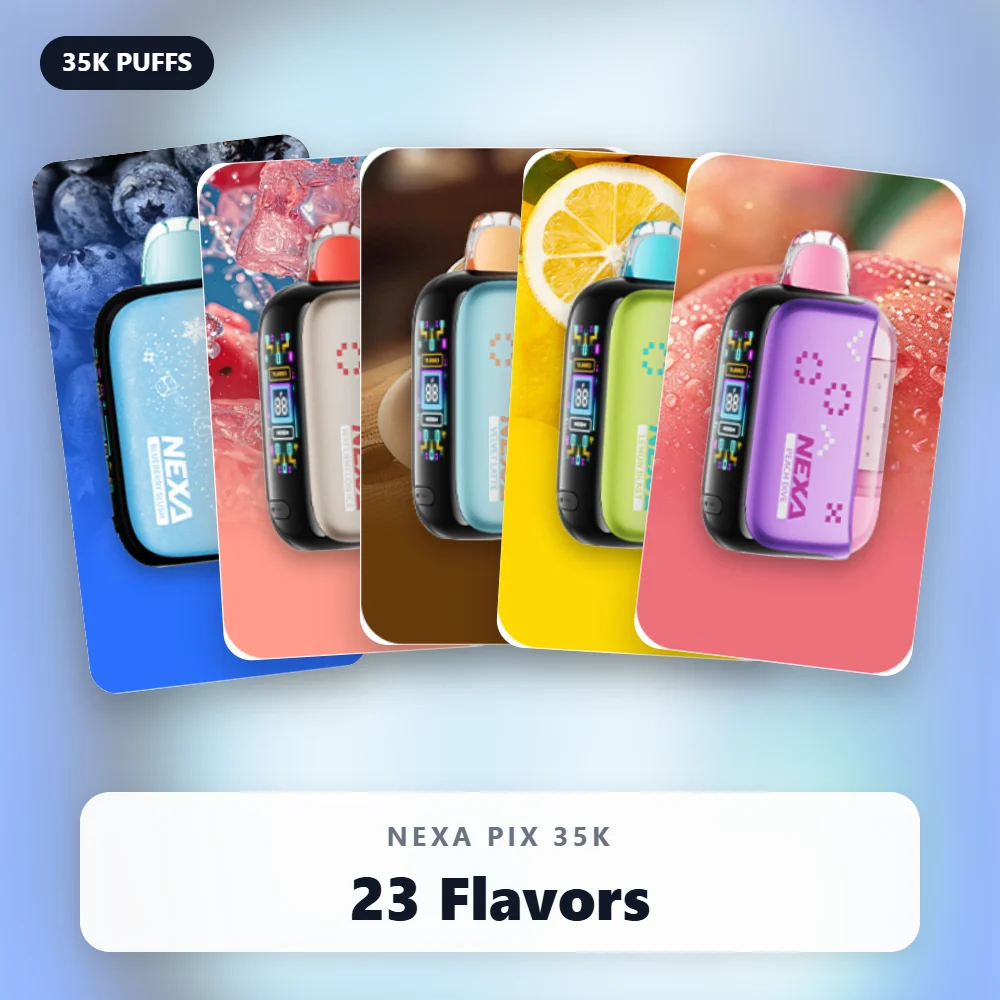
The Pix lineup spans 23 flavors. Each family responds a little differently to your settings.
Slush and Ice Flavors
Try Normal mode with a looser draw. Cooler vapor keeps the chill crisp in flavors like Blueberry Slush.
The same goes for Watermelon Ice and Miami Mint.
Beverage Flavors
Rich profiles like Coffee and Velvet Latte shine with a tighter draw.
Then add Turbo for a fuller, warmer finish when you want it.
Fruit and Candy Flavors
Start in the middle for Peach Dive or White Gummy.
After that, adjust toward tighter for sweetness or looser for a lighter taste.
Slush fans should see our best slush flavors list. The Pix Slush Sampler bundles six for $79.99.
Getting the Most From the Dual 1.0 Ohm Coils
The Pix fires two 1.0 ohm coils. Together, they spread heat across more cotton than a single coil would.
That helps flavor, but only when both wicks stay wet. So your puff rhythm matters.
- Keep most draws to two or three seconds.
- Leave a short pause between puffs during long sessions.
- Ease off Turbo if hits start tasting dry.
- Keep the device upright between sessions so liquid settles evenly.
Treat the coils kindly early on, and they reward you later. A scorched wick rarely recovers its full flavor.
The Pix in Cold and Hot Weather
Temperature changes how e-liquid flows. Both extremes can affect your hit.
Cold Days
Cold liquid thickens and wicks more slowly. As a result, the first puffs outdoors can taste thin.
Keep the device in an inside pocket. Then take a couple of gentle puffs before a full draw.
Hot Days
Heat thins e-liquid, which can lead to gurgling or spitting. It also stresses the battery.
So never leave the Pix on a dashboard or in a beach bag in full sun.
Charging the Pix
An 800 mAh battery runs the Pix through a USB-C port. So any standard USB-C cable works.
Vaping360 measured 62% after 40 minutes and 95% after 60 minutes.
In other words, plan on roughly an hour for a full charge.
They also found pass-through charging kicks in within seconds, even at 0% on screen.
- Plug the cable into the port on the device.
- Connect it to a wall adapter, laptop or power bank.
- Watch the percentage rise on the HD screen.
- Unplug when full or when you need to leave.
Lost your cable? Grab a USB-C cable for $4.99. Our charging guide has more battery tips.
Holding and Carrying the Pix
The Pix measures 2.07 x 0.98 x 3.46 inches.
As a result, it rides easily in a front pocket.
One reviewer noted the mouthpiece feels a bit heavy to hold with the teeth alone.
So if you hold it hands-free, close your lips over your teeth for a steadier grip.
Also consider a lanyard for $3.99 or a silicone sleeve for $6.99.
Both reduce drops, which protects the tank and the screen.
Tracking E-Liquid With the Crystal Tank
The Pix has no digital e-liquid gauge. Instead, the clear 11 mL tank does that job.
Crystal Tank lets you vape right down to the last drop. It also means fewer surprises.
- Check the tank each morning to plan your next order.
- Expect a final stretch from the 5 mL held in the cotton.
- Stop once flavor turns thin or harsh, since the wick is drying out.
Many regulars keep a spare on hand.
The Pix 5-Pack costs $66.99, compared with $14.49 for a single.
How Long a Pix Lasts in Real Life
The 35,000 rating is a lab-style maximum. Your own count depends on puff length, mode and airflow.
Still, simple math gives a rough guide. Here are a few sample habits in Normal mode.
- At 500 puffs a day, 35,000 puffs would stretch to about ten weeks.
- At 1,000 puffs a day, that drops to about five weeks.
- In Turbo, the 20,000 rating cuts those numbers by roughly 40%.
Long, hard draws also burn through liquid faster than short ones. So treat these figures as ceilings, not promises.
For a deeper look at real-world life, see our Pix review.
Storing Spare Pix Devices Before Activation
Juicy Lock gives the Pix a real advantage on the shelf. The liquid stays sealed until you choose to start.
That makes multi-packs practical. You can keep a few on hand without worrying about early flavor fade.
- Keep unopened devices in their boxes until you need them.
- Store them somewhere cool, dry and out of direct sunlight.
- Stand them upright if you can.
- Activate one device at a time, never several at once.
Because activation is one-way, only snap a device you plan to start that day.
Meanwhile, keep the battery topped up on the device you are using. A spare cable in your bag helps too.
Pix or Ultra II: Which Setup Suits You?
Both share Juicy Lock and Crystal Tank, so setup feels familiar. However, they suit different people.
- Pick the Pix for a smaller body, adjustable airflow and a lower price of $14.49.
- Pick the Ultra II for up to 50,000 puffs, a 900 mAh battery and dark mode.
- Either one works if you like seeing your liquid level through a clear tank.
Our Ultra II setup guide walks through the bigger device in the same detail.
Mistakes People Make When They First Use a Nexa Pix
- Puffing before the snap. The coil stays dry, so you get nothing or a burnt hit.
- Puffing right after the snap. The wick needs a minute to soak.
- Jumping straight to Turbo. Normal power treats a fresh wick more gently.
- Ignoring the slider. A fully closed setting can feel like a dead device.
- Storing it on its side in a hot car. Heat thins liquid and invites leaks.
Troubleshooting the Pix
No Vapor
- Confirm the halves snapped fully together.
- Press the mode button to check battery percentage.
- Open the airflow slider a little.
- Look for a leftover plug on the mouthpiece.
Weak or Muted Flavor
- Try a tighter airflow setting for more concentrated vapor.
- Switch to Turbo for a fuller hit.
- Check the tank, because low liquid dulls flavor.
Harsh or Burnt Hits
- Rest the device for a few minutes so the wick can re-soak.
- Drop back to Normal mode.
- Take shorter puffs with brief pauses between them.
If none of that helps, read our not-hitting fixes or the blinking screen guide.
Frequently Asked Questions
How soon can I use my Nexa Pix after the snap?
Wait a minute or two after activation. That gives the cotton time to soak before the first puff.
Does the Pix have a fire button?
No. You simply inhale to vape. The only button switches between Normal and Turbo.
How many puffs does a Pix give?
Each device gives up to 35,000 puffs in Normal mode.
However, Turbo mode trades that for a stronger hit and about 20,000 puffs.
Why does the screen show 0% but it still fires on the cable?
That is pass-through charging at work. Reviewers found it kicks in within seconds of plugging in.
Can I undo Juicy Lock activation?
No. Once the halves lock, the seal stays open. So only activate a device you plan to start soon.
Can I change the airflow mid-session?
Yes. Slide it whenever you like. Then take a few puffs to judge the new setting before moving it again.
Does the Pix leak?
Juicy Lock keeps the e-liquid sealed until you snap the tank into place.
After that, storing it upright and away from heat helps prevent leaks.
Ready to Use a Nexa Pix?
To recap: snap, wait, set the slider, pick a mode and charge when needed. That is the whole routine.
Browse all 23 flavors in our Pix collection. We ship in discreet packaging to adults 21+.
Also, explore other pocket options in our 35K puff range.
WARNING: This product contains nicotine. Nicotine is an addictive chemical.
