

Guides
How to Change Nexa Flex Pods (Cool Pods vs Visible Pods)
Aug
How to Change Nexa Flex Pods (Cool Pods vs Visible Pods)
Ready for a fresh flavor? This guide shows how to change Nexa Flex pods and pick the right type.
The Flex is not a throwaway device. Instead, you keep the battery and swap the liquid.
That design saves money and cuts waste. However, it also adds a choice most disposables never ask you to make.
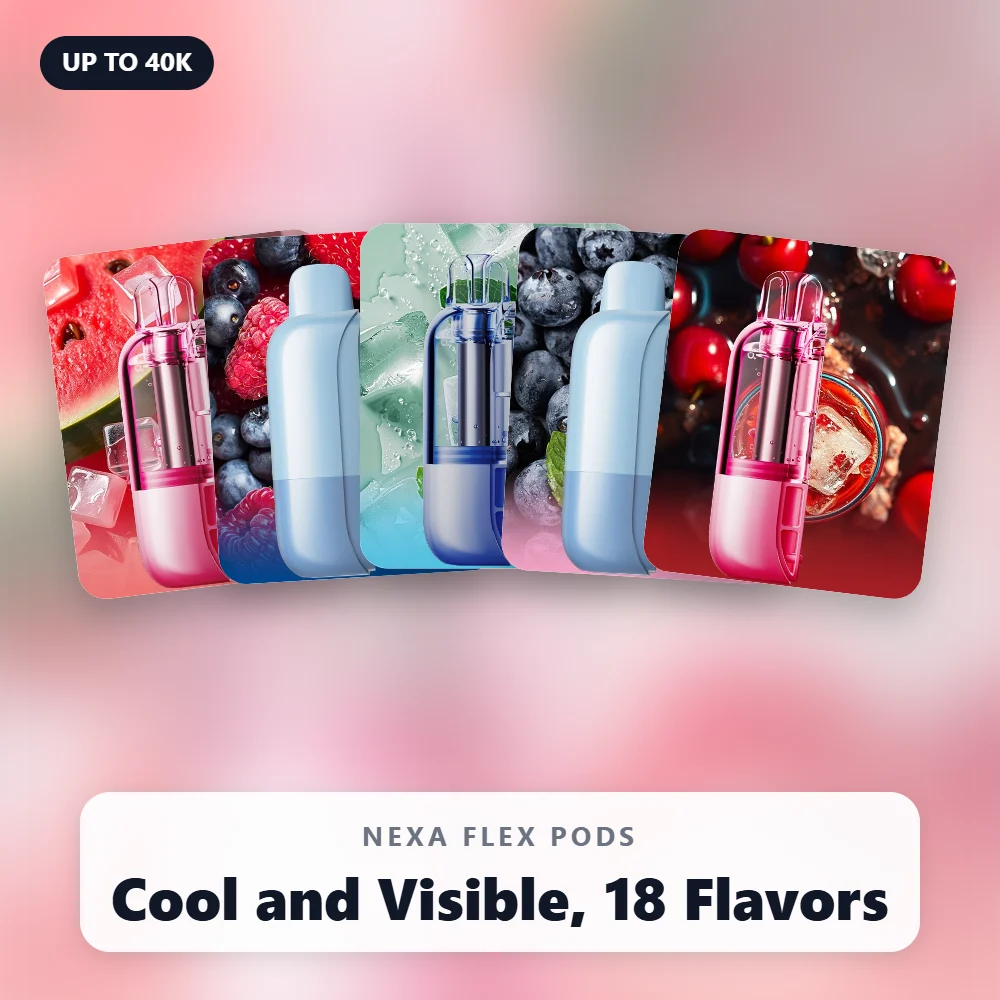
Do you want a Cool Pod with adjustable chill, or a Visible Pod with more puffs?
Below, we explain both, then walk through the swap, coolness settings, modes, charging and fixes.
How the Flex System Works
First, the basics. The Flex splits into a smart battery device and a replaceable 18 mL pod.
- Battery: 1200 mAh, recharged through USB-C.
- Screen: 3D curved display that shows your settings.
- Modes: Normal and Turbo, which change the strength of each hit.
- Size: 28.5 x 51.9 x 99.54 mm.
- Pods: Cool Pods and Visible Pods, both 18 mL of 5% salt nicotine.
Most importantly, the device runs a smart match platform. It detects which pod type you insert and adjusts itself.
So you never set up a pod by hand. You just click it in and choose your preferences.
The Flex launched in September 2025 with both pod types. It later won Gold at the Muse Design Awards 2025.
Before Your First Swap: Know Your Flex Kit
If you just bought a kit, you start with the device and one 18 mL Cool Pod.
So your very first pod is already a Cool Pod.
That makes it a good chance to learn the coolness dial.
- First, unbox the device and its Cool Pod.
- Next, insert the pod until it sits firmly in the device.
- Then let the device detect the pod type and set itself up.
- After that, choose one of four coolness levels.
- Finally, switch between Normal and Turbo to suit your session.
Once that first pod runs low, you face the real choice. Should the next one be Cool or Visible?
The rest of this guide helps you decide, and then shows you how to make the swap cleanly.
Cool Pods vs Visible Pods at a Glance
Both pods fit any Flex device. Still, they behave quite differently once inside.
| Feature | Cool Pod | Visible Pod |
|---|---|---|
| Capacity | 18 mL | 18 mL |
| Puffs (Normal) | Up to 30,000 | Up to 40,000 |
| Puffs (Turbo) | About 18,000 | About 25,000 |
| Coolness control | 4 adjustable levels | None |
| Tank view | Opaque, per reviewers | See-through, low residue |
| Flavor count | 6 | 12 |
| Our price | $11.49 | $11.49 |
In short, Cool Pods trade puffs for control. Meanwhile, Visible Pods trade control for distance and a clear tank.
For a deeper breakdown, read our Cool Pod vs Visible Pod comparison.
Who Should Pick a Cool Pod
- Menthol and ice fans who like to fine-tune the chill.
- Vapers who want a warmer hit in winter and a colder one in summer.
- Anyone who enjoys the six icy and candy flavors in the Cool range.
Who Should Pick a Visible Pod
- Heavy users who want up to 40,000 puffs from each pod.
- People who like to see exactly how much e-liquid remains.
- Fans of non-icy profiles like Tobacco, Clear or Cherry Bomb.
Signs It Is Time for a Fresh Pod
Pods do not announce their end with a warning. Instead, watch for these clues.
- Flavor turns thin, muted or slightly burnt.
- Vapor drops off even with a full battery.
- A Visible Pod tank looks empty.
- A Cool Pod feels light and tastes flat, since you cannot see its level.
When two or more of these show up, stop vaping that pod.
After all, pushing a dry wick only leads to harsh hits.
Also, keep a spare pod nearby. That way, the swap takes seconds instead of a trip to the shop.
Step-by-Step: Swapping a Flex Pod
The whole job takes under a minute. Work over a table in case anything slips.
1. Remove the Used Pod
First, grip the battery in one hand and the pod in the other. Then pull the pod straight out.
Reviewers at Versed Vaper describe the halves snapping together magnetically. So expect some resistance, but no latch.
2. Prepare the New Pod
- Unbox the pod and remove any plugs or stickers.
- Check the box for an authenticity code.
- Look for any instructions printed on the packaging.
Versed Vaper also notes the e-juice tank needs a firm push together before first use.
So follow the pack’s guidance on this step before you insert it.
3. Insert the New Pod
Line the pod up straight with the battery. Then push it in until it sits firmly and clicks into place.
A crooked pod may not connect well. If the screen stays quiet, pull it out and try again.
4. Let the Device Detect It
Next, give the Flex a moment. The smart match platform reads the pod type and sets itself up.
5. Set Your Preferences
Finally, pick Normal or Turbo. With a Cool Pod, also choose one of four coolness levels.
Then wait a minute before your first draw. A soaked wick gives a cleaner first puff.
Smart Match Detection Explained
The brand calls this an industry-leading Smart Match and Adjust platform.
In practice, it means one battery runs two quite different pods well.
- With a Cool Pod inside, the coolness control becomes active.
- With a Visible Pod inside, the device tunes itself for that pod’s longer life.
- In both cases, you skip any manual setup menus.
Versed Vaper found the coolness button only wakes the screen when a Visible Pod sits inside.
That fits the detection design, since Visible Pods have no chill to adjust.
Setting Cool Pod Coolness Levels
Every Cool Pod lets you pick from four levels of cooling. Reviewers describe them as levels 0 to 3.
According to Versed Vaper, a dedicated button near the top of the battery changes the level.
Their tester also found the chill grows stronger as the level rises, especially in Blue Razz Ice.
A Simple Way to Find Your Level
- Start at the lowest level for a few puffs to taste the base flavor.
- Step up one level and take a few more puffs.
- Repeat until the chill feels right, then leave it there.
- Drop back down if your throat starts to feel the cold too much.
Many people settle on a middle level for daily vaping. Then they bump it up on hot afternoons.
Fruit-and-ice profiles like Watermelon Ice handle higher levels well.
Meanwhile, candy blends like Pink n Blue often taste fuller at lower levels.
Coolness by Season
- Summer: higher levels feel refreshing when it is hot outside.
- Winter: lower levels keep the hit from feeling harsh in cold air.
- Late nights: a gentle level often suits slow, relaxed puffs.
Because the setting changes with a button press, you can adjust it whenever your mood shifts.
Reading the Screen After a Swap
The 3D curved screen is your best friend during a pod change. It confirms what the device sees.
- Battery level: Vaping Hardware says the screen shows it clearly.
- Mode: check whether you sit in Normal or Turbo before the first puff.
- Lighting: reviewers describe a circuit-style animation when you puff or charge.
If the screen stays dark after a swap, first check whether you turned the lighting off with a long press.
Then reseat the pod. A loose connection is the next most likely cause.
Finally, plug in the cable if neither step helps, since a flat battery looks the same.
Normal vs Turbo With Each Pod
Normal and Turbo modes change the strength of each hit. They also change how far each pod goes.
- Cool Pod: up to 30,000 puffs in Normal, about 18,000 in Turbo.
- Visible Pod: up to 40,000 puffs in Normal, about 25,000 in Turbo.
Versed Vaper reports a mode button on the lower half of the device. A press switches between the two.
Their review also lists Turbo as possibly too strong for some users. So start in Normal with a fresh pod.
Holding that button for three seconds turns off the screen lighting. Repeat the hold to bring it back.
Adjusting Airflow on Flex Pods
Versed Vaper notes a built-in airflow slider on the bottom of each pod.
It ranges from a loose mouth-to-lung draw to a tight MTL pull, per their review.
- Tighter airflow gives a warmer, denser, more concentrated hit.
- Looser airflow feels cooler and lighter on the throat.
- With Cool Pods, looser airflow plus a high level feels very icy.
Because the slider sits on the pod, check it after every swap.
After all, each new pod may arrive at a different setting.
Can You Swap a Half-Used Pod?
The brand pitches the Flex as a way to switch multi-functional pods for different needs.
So many owners keep two flavors in rotation, such as a mint for mornings and a fruit for evenings.
- Store the removed pod upright, mouthpiece up.
- Keep it away from heat and direct sun.
- Avoid lint and dust near the contacts.
- After reinserting, let the device detect the pod again.
Still, frequent swaps add wear on the contacts. So rotate pods when it makes sense, not every few puffs.
Charging the Flex Between Pods
Pods do not need charging. Instead, the Flex device charges through its USB-C port.
Versed Vaper measured about an hour for a full charge, with 30% in about fifteen minutes.
Vaping Hardware put it closer to 75 minutes and confirmed pass-through charging.
Since the 1200 mAh battery outlives many pods, care for it well.
- Use a standard USB-C cable, such as our USB-C cable for $4.99.
- Charge at room temperature on a hard surface.
- Top up during pod swaps so you rarely run flat.
Our charging guide covers battery care across the whole range.
What Pods Cost Over Time
Because you keep the battery, your ongoing cost is just pods. Here is how our prices compare.
- Single pod: $11.49 each.
- 5-pack of pods: $52.99, or about $10.60 per pod.
- 10-pack of pods: $99.99, or about $10.00 per pod.
- Flex Starter Bundle: $54.99 for the kit plus four extra pods.
New to the system? The Flex Kit costs $14.99 and includes one 18 mL Cool Pod.
For price comparisons across devices, see our price guide.
Keeping Contacts Clean Between Swaps
Every swap exposes the contacts that link pod and battery. So a little care keeps the connection reliable.
- Check for lint before inserting a new pod, especially after pocket carry.
- Wipe away any e-liquid residue with a dry cotton swab.
- Never use water or alcohol on a device you plan to charge soon.
- Keep spare pods in their boxes until you need them.
Also, avoid forcing a pod in at an angle. Instead, line it up straight and let it click home.
As a result, you get steady detection and fewer “no hit” moments.
A Two-Pod Routine That Works
One of the best parts of the Flex is rotation. For example, here is a simple routine many regulars like.
- Morning: a Cool Pod such as Strawberry Ice at a mid coolness level.
- Afternoon: bump the level up on hot days for extra chill.
- Evening: switch to a Visible Pod such as Strawberry Banana for a smoother dessert profile.
Because both pods share one battery, the swap takes seconds. However, remember to let the device detect each one.
Then check the airflow slider, since each pod carries its own setting.
Buying Genuine Flex Pods
Popular devices attract fakes, and replaceable pods are no exception.
So buy from a shop you trust and check every box before use.
- Look for an authenticity code on the packaging.
- Run it through the official verification page.
- Be wary of prices far below the norm, as fakes often undercut by a lot.
- Watch for pods the device fails to detect, which can signal a fake.
Our guides on verifying authentic products and spotting fakes go further.
Why Swapping Beats Tossing
A single-use vape goes in the bin, battery and all, when the liquid runs out.
By contrast, the Flex keeps its 1200 mAh battery in service across many pods.
- Less waste, since only the pod reaches its end.
- Lower ongoing cost, because pods cost less than a new kit plus pod.
- Familiar settings, as your device stays the same from pod to pod.
When the battery itself eventually wears out, check local rules for e-waste drop-off. Avoid household trash.
Traveling With Spare Pods
Spare pods are small, so packing a few for a trip is easy. Still, plan ahead.
- Keep the device in your carry-on, since airlines generally bar vapes from checked bags.
- Pack spare pods upright in a zip bag in case of pressure changes.
- Bring a USB-C cable, because the pods rely on the device for power.
- Check local vape laws at your destination before you go.
Popular Flavors for Each Pod Type
Cool Pod Picks
- Black Dragon Ice for a bold, icy profile.
- Blue Razz Ice, a favorite for testing the coolness range.
- Sour Apple Ice for tart fruit with a chill.
Visible Pod Picks
- Tobacco and Clear for simple, non-fruity vaping.
- Cherry Bomb and Dragon Melon for fruit lovers.
- Pepper Mint for mint without the coolness dial.
Troubleshooting When You Change Nexa Flex Pods
Device Does Not React
- Remove the pod and reinsert it straight until it clicks.
- Check the contacts for lint or a stray sticker.
- Plug in the device in case the battery ran flat.
Coolness Button Does Nothing
- Confirm you inserted a Cool Pod, since Visible Pods have no coolness control.
- Give the device a moment to detect the pod first.
Burnt Taste Right After a Swap
- You may have puffed before the wick soaked. Rest it for a few minutes.
- Drop to Normal mode and loosen the airflow a little.
More fixes live in our not-hitting guide and our blinking screen guide.
Frequently Asked Questions
How often should I change Nexa Flex pods?
Swap when flavor fades or vapor drops.
As a guide, a Cool Pod gives up to 30,000 puffs, while a Visible Pod reaches 40,000.
Which pod lasts longer?
The Visible Pod does. It reaches up to 40,000 puffs in Normal mode, compared with 30,000 for a Cool Pod.
Do pods need charging?
No. Instead, the device charges through its USB-C port.
Can I mix Cool Pods and Visible Pods?
Yes. Both fit any Flex device, and smart match detection sets the device up for each one.
Why can I not see the liquid in my Cool Pod?
Reviewers note Cool Pods are opaque. So judge their end by flavor and vapor instead.
Does the Flex remember my coolness level?
We have not seen this confirmed. So check the level after every swap, just to be sure.
Do pods leak in a bag?
Each pod sits firmly in the device during use. Also, store spare pods upright and away from heat.
Time to Change Your Nexa Flex Pods?
Stock up on both types in our Flex Pods collection. We ship discreetly to adults 21+.
Prefer a bundle? The Starter Bundle pairs the kit with four extra pods, so you have spares from day one.
Need the device too? Browse the Flex Kits or compare it in Flex vs Ultra II.
WARNING: This product contains nicotine. Nicotine is an addictive chemical.
